


Introduction
The digital landscape is shifting from static interactions to dynamic, personalized experiences. At the forefront of this evolution is the AI avatar. No longer relegated to the realm of science fiction or video games, modern avatar technology allows businesses to humanize their digital presence at scale. Whether it’s for customer service, automated sales outreach, or internal training, the ability to create an AI avatar that resonates with an audience is becoming a significant competitive advantage.
However, the difference between a “cool tech project” and a high-ROI business asset lies in the execution. Simply generating a moving face is not enough. A company-created AI avatar must be strategically aligned with business goals, technically sound, and seamlessly integrated into the user journey. This article provides a comprehensive roadmap from the initial briefing to final deployment, ensuring your AI investment translates into tangible growth.
Understanding AI Avatars: What They Are and What Makes Them Effective
An AI avatar is a digital representation of a human (or a stylized character) powered by artificial intelligence. Unlike a simple recorded video, a custom avatar can be manipulated via text-to-speech (TTS) or generative AI models to deliver new messages instantly without the need for a camera, a studio, or a human actor for every new piece of content.
What makes these tools effective in a business context?
- Scalability: You can create thousands of personalized videos for individual clients in the time it takes to render a single file.
- Consistency: An AI avatar never needs an “off” day. It maintains brand voice, appearance, and tone across every interaction.
- Cost-Efficiency: While the initial creation involves an investment, the long-term cost of content production drops significantly as you remove the need for recurring film shoots.
- Engagement: Humans are biologically wired to respond to faces. A virtual avatar can increase dwell time on websites and improve click-through rates in email marketing compared to text-only communication.
How to Make an AI Avatar: The Complete Process
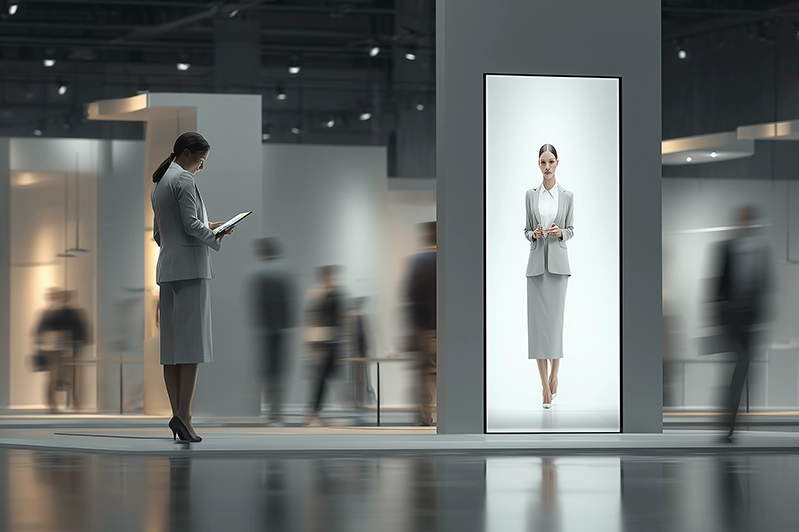
The journey of AI avatar creation is a multi-step process that requires collaboration between marketing, operations, and technical teams.
Phase 1: The Strategic Briefing
Before you look at software, you must define the “Why.”
- Objective Setting: Are you looking to reduce support tickets, increase lead conversion, or streamline employee onboarding?
- Persona Development: This is where you decide how to make an AI avatar that fits your brand. Should the avatar be authoritative and professional, or warm and approachable?
- Platform Identification: Where will this avatar live? A website, a mobile app, an interactive kiosk stand, a Holobox, an LED screen, or social media?
Phase 2: Design and Conceptualization
In this stage, you make a custom avatar blueprint. You choose the visual traits such as age, ethnicity, attire, and environment. If you are building a custom brand ambassador, you might use a real employee as the base model or create a completely synthetic person from scratch. Some companies go as far as to make copies of their CEOs — like Panasonic, which created an AI avatar of their founder Konosuke Matsushita in 2024.
Phase 3: Technical Development and Training
This is the “engine room” of the process.
- Visual Modeling: Using deep learning, the AI is trained on thousands of facial expressions to ensure mouth movements (lip-syncing) look natural.
- Voice Cloning: To truly create a virtual avatar that feels authentic, the voice must match the persona. You can choose a voice from a library or clone a specific human voice to maintain brand consistency.
- Scripting & Logic: For interactive AI avatars, you must integrate a Large Language Model (LLM) like GPT-4 so the avatar can “think” and respond to user queries in real-time.
Phase 4: Integration and API Setup
An AI avatar needs to be connected to your existing systems. This involves setting up APIs so the avatar can pull data from your CRM (e.g., retrieve information about returning customers) or trigger actions like booking a meeting on a calendar.
Phase 5: Testing and QA
Before full deployment, the avatar undergoes rigorous testing.
- Latency Testing: Ensuring the avatar responds quickly without awkward pauses.
- Edge Case Handling: What does the avatar do if a user asks a question it doesn’t understand?
- Visual Fidelity: Checking for “uncanny valley” effects where the AI looks slightly “off” or unsettling.
Phase 6: Deployment and Optimization
Once live, the avatar enters a cycle of continuous improvement. Feedback loops are established where user interactions are analyzed to refine the AI’s responses and visual performance.
Tools, Technologies, and Resources to Create AI Avatars
How do you ensure that you’ve created an AI avatar that stands up to professional standards? First and foremost, you need the right tech stack.
Tech options
The industry is currently divided into three main tiers.
- SaaS Platforms: Best for rapid content creation. These platforms allow you to create videos by simply typing text. They offer a library of “stock” avatars or allow you to upload footage to create a custom version of yourself. While these solutions are useful for static content like videos and product demos, they offer limited customization options. Moreover, the tools they provide for real-time responsive avatar making aren’t as advanced as those offered by professional-grade systems.
- Real-Time Interactive Engines (DeepBrain AI, Soul Machines): These are used for custom digital humans that interact live with customers. They utilize low-latency streaming technology to ensure the avatar reacts to voice or text input within milliseconds. These also have their disadvantages, from some users pointing out the “uncanny valley” to others saying that these tools aren’t suitable for beginners and require solid technical skills.
- Advanced 3D Modeling (Unreal Engine’s MetaHuman): If you want to make a custom avatar with the highest possible visual fidelity, MetaHuman is the gold standard. It creates hyper-realistic 3D characters that can be used in high-end cinema, gaming, or high-stakes corporate environments. However, this also means that, to use programs of this tier, you need to have extensive experience in animation and 3D design.
While there are plenty of low-cost and beginner-friendly options available on the market, they offer limited customization and won’t be a viable solution for a high-stakes project like an international trade show or a virtual reception room with a digital ambassador right at the front page of a company’s website. For these kinds of purposes, your best option is hiring a professional 3D AI-powered avatar creation team.
Cost Considerations
While each project’s cost will depend on its complexity, timeframe, and the make-up of the team working on it, we can try to make an educated guess based on the general market trends.
- Entry Level Avatar: $30–$500/month for SaaS-based video generation.
- Professional Custom-Made Avatar: $5,000–$20,000 for a unique, custom-created AI avatar with cloned voice.
- Enterprise-Grade Interactive Avatar: $50,000+ for full-scale digital humans with integrated AI logic and real-time capabilities.
You might ask: why can’t I just opt for the cheaper, easier option and make an avatar in a SaaS-based avatar video generator? The answer is you can. But will you be satisfied with the result longterm? When the time comes for your business to scale and the stakes inevitably become higher, will your low-cost avatar still be enough?
Companies that aim for growth and prepare their systems for scaling in advance understand that the initial quality investment will
Timeline
- SaaS Video: Minutes to hours.
- Custom Persona: 2–4 weeks for training and refinement.
- Interactive System: 3–6 months for full backend integration.
Quality Standards and Success Metrics: Ensuring Your AI Avatar Delivers Results
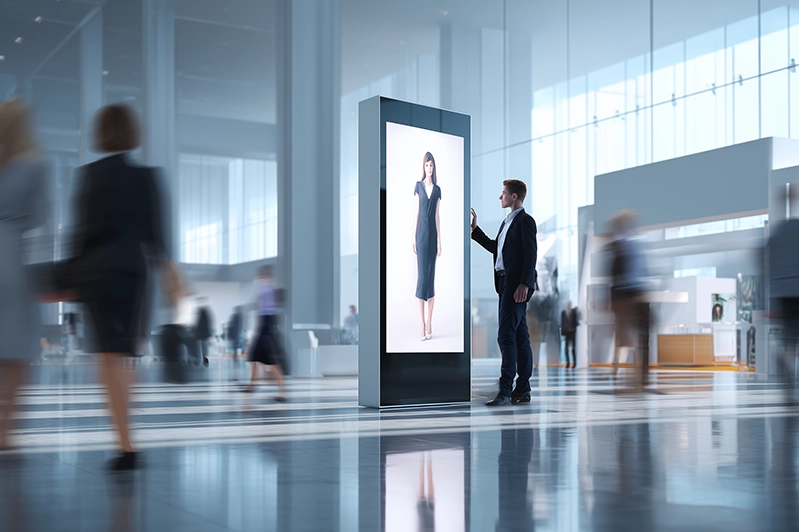
A custom-created AI avatar is a tool, and like any tool, its value is measured by its output. To ensure your avatar isn’t just a gimmick, you must track specific Key Performance Indicators (KPIs).
1. Retention and Engagement Rates
For video content, how long are people watching? If you use an AI avatar on your landing page, does the “Time on Page” increase?
2. Conversion Rate (CVR)
The ultimate metric. Does the avatar successfully lead the user to the next step? For instance, if you create a virtual avatar to act as a sales assistant, track how many users click “Book a Demo” after interacting with it.
3. Natural Language Understanding (NLU) Accuracy
For interactive avatars, how often does the AI provide the correct answer? Monitoring “Hand-off to Human” rates is crucial. If the avatar fails to answer most of the questions on its own, it is hurting the brand rather than helping.
4. Technical Performance
- Load Time: The avatar should take from 0,5 to 3 seconds to load — any longer, and the user will simply leave.
- Sync Accuracy: Ensure the “lip-sync” is perfect. The misalignment between audio and video is the fastest way to ruin the impression.
5. Cost Per Lead/Interaction
Compare the cost of running the AI avatar against the cost of a human representative or a traditional video production team. You’ll know you’ve succeeded if you see the cost per lead go down.
Conclusion
By deciding to create an AI avatar, you’re taking a step toward the future of digital interaction. By following a structured process — from a strategic briefing to a data-driven deployment — your business can move beyond the novelty of the technology and unlock its genuine value.
Whether you are looking to make a custom avatar for a global marketing campaign or create a virtual avatar for internal training, the key is to prioritize the user experience. A well-designed AI avatar doesn’t just look human on the outside; it acts as a bridge between your brand’s technology and your customer’s needs. As AI continues to evolve, those who master the art of the AI avatar interaction will be the ones leading the conversation in the digital-first economy.
FAQ
How much does it cost to create an AI avatar?
Costs vary depending on the complexity. Simple video-generation AI can cost as little as $30 per month. However, to make a custom avatar that is unique to your brand with high-fidelity features and a cloned voice, initial setup fees usually range from $5,000 to $100,000.
Do I need coding skills to make an AI avatar?
Not necessarily. If you use SaaS platforms like HeyGen or Synthesia, you can create an AI avatar using a simple “drag-and-drop” interface. However, for real-time, interactive avatars integrated into a website or app, you will likely need a developer to handle API integrations.
Can an AI avatar replace human customer service?
It is best viewed as a “co-pilot.” An AI avatar can handle 70-80% of routine inquiries, such as answering FAQs or product introductions. This allows human agents to focus on more complex situations that require a human touch.
How long does the creation process take?
If you are using a pre-made template, you can produce content in minutes. The creation of a bespoke, high-fidelity custom avatar — that often includes training the AI on a specific person’s likeness and voice — typically takes 2 to 4 weeks.
What is the best way to start with AI avatar content?
Start small. Create a few short-form videos for social media or an internal announcement. Measure the engagement and gather feedback before investing in a full-scale, real-time interactive virtual avatar for your homepage or event booth.
